
Why You Cannot Apply for a Job on the Ajira Portal (Top 10 Common Errors)
If you are among the job applicants using the Ajira Portal who often face challenges when trying to submit applications for various government vacancies, this guide will help you understand the most common causes of application failure and how you can fix them. Many users experience errors that prevent them from completing their applications, even when vacancies are open. Understanding these issues and how to solve them will greatly improve your chances of submitting a successful application.
The Ajira Portal is the official online system used by the Public Service Recruitment Secretariat (PSRS) to manage job applications for public service positions in Tanzania. It allows applicants to create accounts, fill profiles, upload certificates, and apply for vacancies directly online. However, mistakes during registration, profile completion, or document submission often make the system block applications.
Below are the top 10 common errors that prevent applicants from applying for jobs and how to resolve each one.
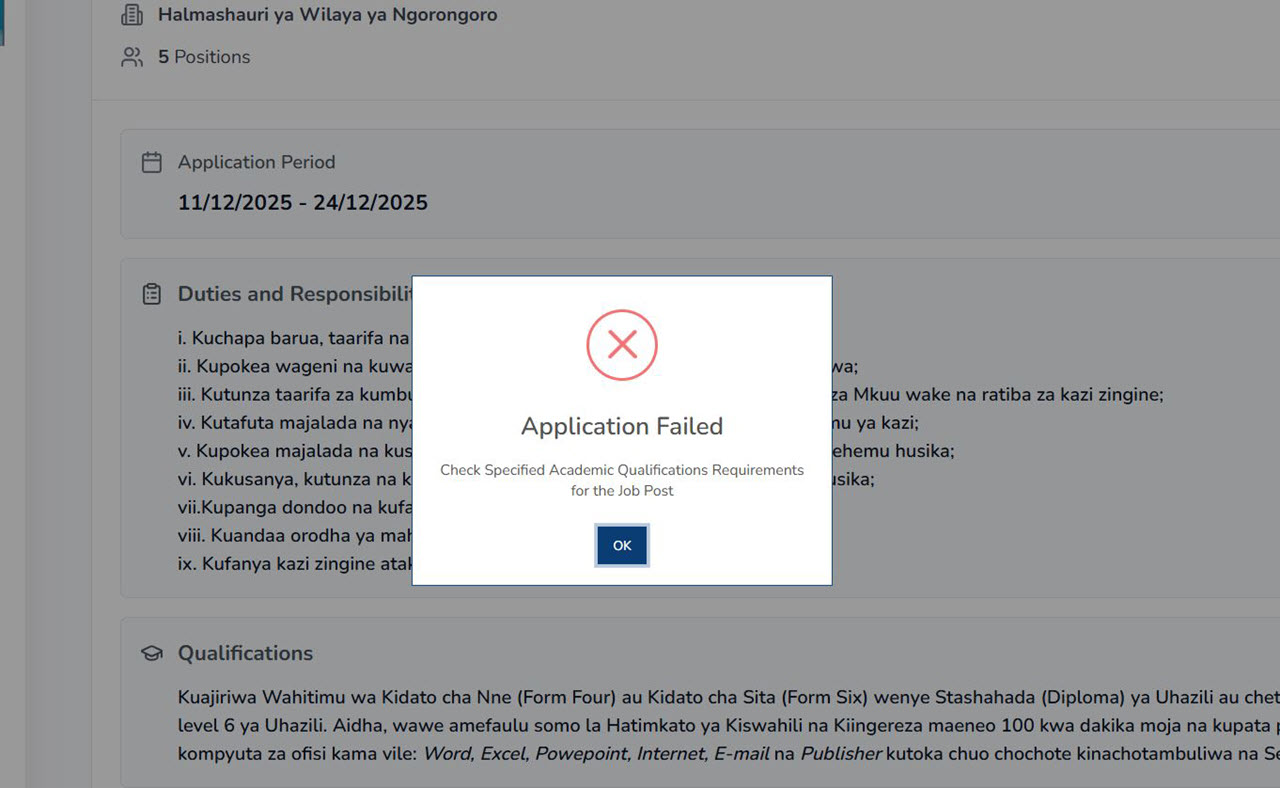
1. Incorrect or Incomplete Registration Details
Many applicants cannot access the application section because their registration details were entered incorrectly. Errors such as using an invalid email address, entering mismatched passwords, or failing to activate the account lead to system failure.
Solution
- Provide accurate information during registration.
- Activate your account through the email sent after registration.
- Use an email address you check regularly.
2. Wrong Education Details or Programme Selection
A large number of applications fail because the educational information entered does not match what appears on the applicant’s certificates. Selecting the wrong programme, the wrong education level, or an incorrect institution leads to automatic rejection.
Solution
- Enter education details exactly as they appear on your certificates.
- Choose the correct programme name and education level.
- For secondary education, ensure the index number and year are accurate.
3. Incorrect Address on the Application Letter
Some applicants address their application letters to the institution offering the job instead of the proper office overseeing recruitment. This mistake leads to instant failure because the system requires a consistent and correct address.
Solution
- Address your application letter as follows:
Secretary,
Public Service Recruitment Secretariat (PSRS)
- Avoid addressing the letter to the ministry, authority, or organization where the position is located.
4. Unsigned Application Letter or CV
Unsigned documents are treated as incomplete. An application letter and CV must both carry the applicant’s signature to confirm authenticity.
Solution
- Sign your application letter before uploading.
- Sign your CV as well, even if it was typed electronically.
5. Unverified or Uncertified Academic and Identification Documents
Applications often fail when applicants upload documents that have not been certified or verified. Unverified documents raise doubts about authenticity and may lead to immediate rejection.
Solution
- Certify your education certificates through the appropriate authorities.
- Ensure identification documents are valid and correctly prepared before uploading.
6. Blurry, Cropped, or Poor-Quality Document Uploads
The system cannot accept documents that are unclear, too dark, cropped, or low quality. If the recruitment team cannot read your information, the application is considered incomplete.
Solution
- Use a proper scanner to produce clear PDF documents.
- Check the clarity of each document before uploading.
- Avoid photos taken with mobile phones unless they meet high-quality standards.
7. Profile Completion Below the Required Threshold
Applicants who try to submit applications with incomplete profiles often fail because the system requires a minimum level of profile completion before applications are allowed. Missing details in any section block the process.
Solution
- Make sure all sections are filled, including:
- Personal details
- Contact information
- Academic qualifications
- Professional qualifications
- Language proficiency
- Work experience
- Referees
- Attachments
- Final declaration
Completing your profile increases your chances of moving to the next stage.
8. Missing or Incorrect National Identification Number (NIN)
The system relies on the National Identification Number to confirm personal details. If the number is missing, incorrect, or does not match your official records, you may not be able to submit your application.
Solution
- Enter your NIN carefully.
- Ensure the information matches your official identification records.
9. Attempting to Apply After the Vacancy Has Closed
Applicants cannot submit applications after the closing date. Even though the vacancy may still appear on the portal, the “Apply” button becomes disabled once the deadline passes.
Solution
- Apply before the closing date.
- Set reminders for deadlines.
- Use job alert notifications to stay updated on new vacancies.
10. Missing or Incorrect Supporting Attachments
Many applicants forget to attach important documents such as birth certificates, CVs, application letters, or recommendation letters. Others upload the wrong document under the wrong category, causing the system to mark the application as incomplete.
Solution
- Upload all required documents in their correct categories.
- Use PDF format for all attachments.
- Check that each document is complete and correctly labelled.
Application failures on the Ajira Portal are often due to small but significant errors. Whether it’s incorrect data, poor-quality uploads, or missing information, these issues can prevent your application from being processed, even if you meet all the requirements for the position.
By understanding these common errors and following the provided solutions, you can greatly increase your chances of a successful application. Preparing your documents correctly, entering accurate information, and completing your profile are key steps to avoid rejection and ensure a smooth application process.
Editor’s Picks:
- How to Apply for Government Jobs Through Utumishi Ajira Portal
- Best Places to Find Government Jobs in Tanzania