

How to Initiate and Accept Learner Transfer Requests on the CBA Portal
The Kenya National Examinations Council (KNEC) has released detailed guidance explaining how schools should initiate and accept learner transfer requests through the Competency-Based Assessment (CBA) portal.
The procedure is designed to ensure that when a learner moves from one school to another, the transfer is properly recorded and approved by both institutions within the official assessment system.
According to the council, the transfer process involves two Heads of Institution (HOIs). The school where the learner has moved initiates the transfer request, while the previous school confirms and approves the request to finalize the transfer.
This article provides a complete step-by-step explanation of how to initiate and accept learner transfer requests on the CBA portal, based strictly on the guidance released by KNEC.
Understanding Learner Transfers on the CBA Portal
A learner transfer occurs when a student moves from one school to another and the change must be updated in the Competency-Based Assessment (CBA) system.
KNEC explains that the process begins at the new school where the learner has joined. The Head of Institution at that school initiates the request through the portal.
After the request is submitted, the Head of Institution at the learner’s previous school must log into the portal and approve the transfer. Only after this confirmation is the learner transfer considered complete in the system.
How to Initiate a Learner Transfer Request on the CBA Portal
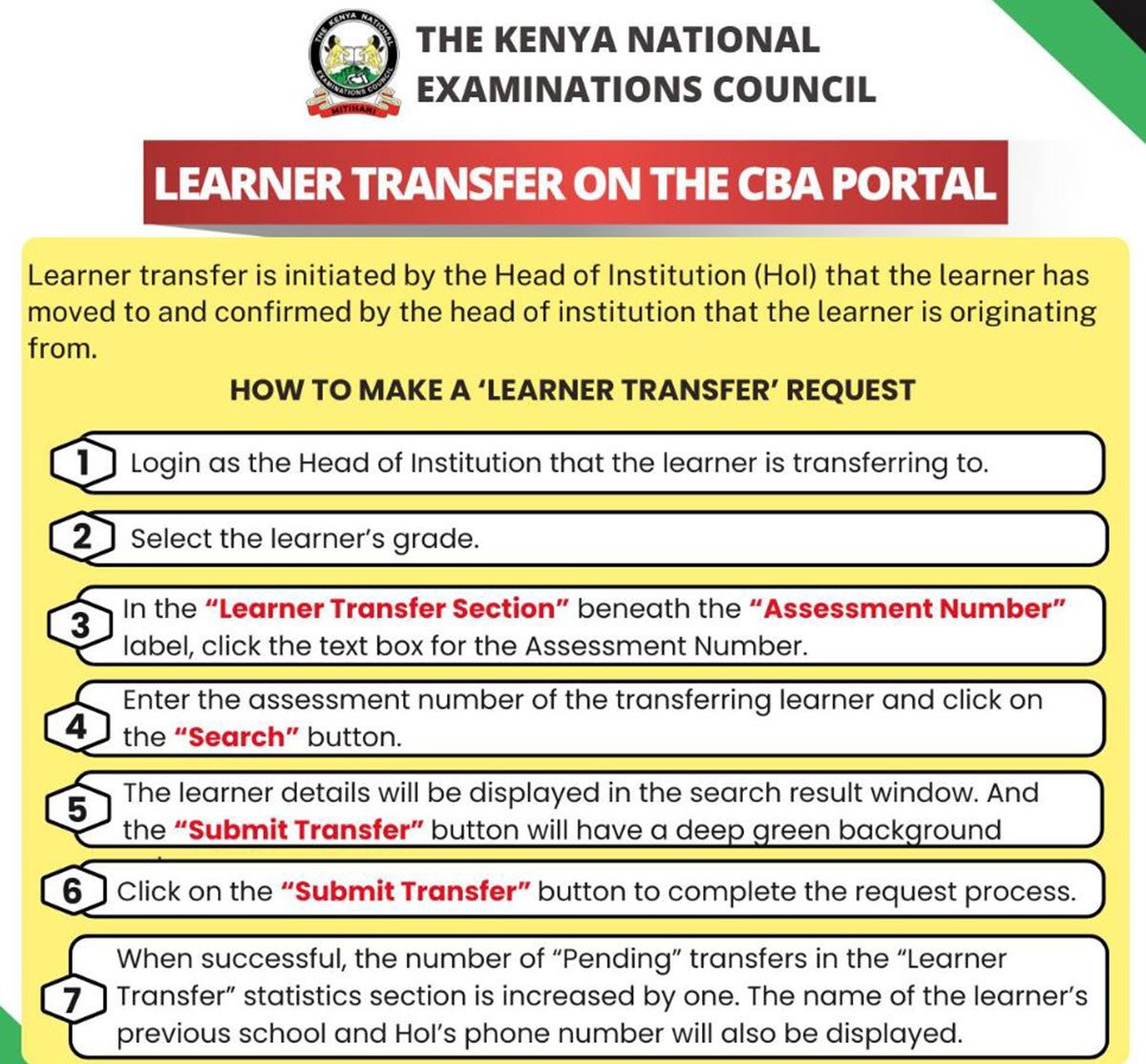
The first stage of the process is carried out by the Head of Institution of the school that the learner has moved to.
Step 1: Log in to the CBA Portal
The Head of Institution should log in to the CBA portal using their official HOI account for the school receiving the learner.
Step 2: Select the Learner’s Grade
After logging in, the HOI must choose the learner’s grade level within the system before proceeding with the transfer process.
Step 3: Locate the Learner Transfer Section
Within the portal interface, navigate to the Learner Transfer section, which appears beneath the Assessment Number label.
Step 4: Enter the Learner’s Assessment Number
In the assessment number field:
- Click the text box provided.
- Enter the assessment number of the transferring learner.
- Click the Search button to retrieve the learner’s details.
Step 5: Confirm the Learner’s Information
After the search is completed, the learner’s details will appear in the search results window. This allows the institution to verify that the correct learner has been identified.
Step 6: Submit the Transfer Request
Once the details are confirmed, click the “Submit Transfer” button to initiate the transfer request.
Step 7: Confirmation of Submission
When the process is successful:
- The number of pending transfers in the learner transfer statistics section will increase by one.
- The system will also display the name of the learner’s previous school and the phone number of the previous Head of Institution.
At this point, the transfer request is awaiting approval from the learner’s former school.
How to Accept a Learner Transfer Request on the CBA Portal
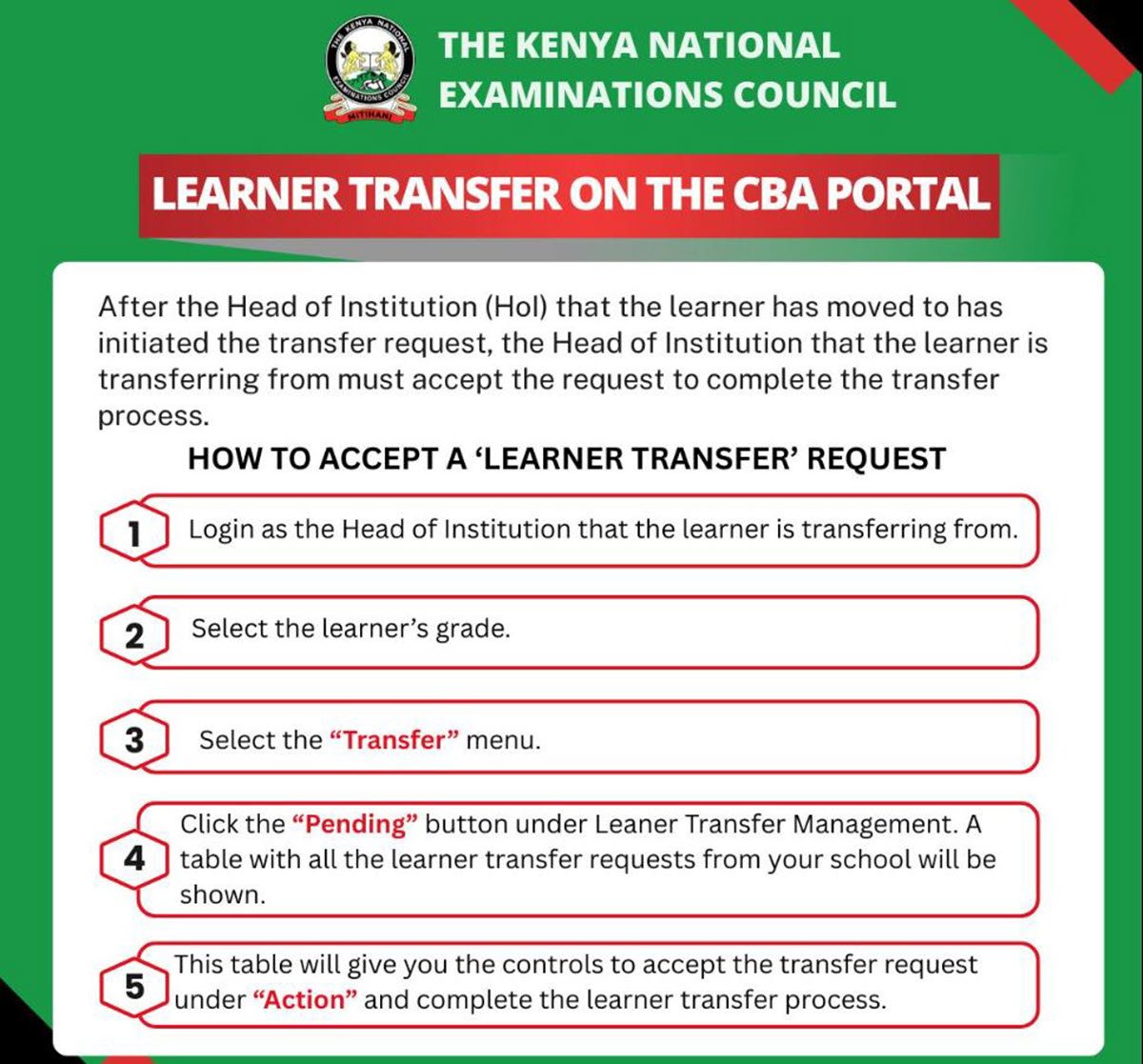
The second stage of the process is handled by the Head of Institution from the learner’s previous school.
This approval step is necessary to finalize the transfer and confirm that the learner is leaving the original institution.
Step 1: Log in as the HOI of the Previous School
The Head of Institution should log into the CBA portal using the account of the school the learner is transferring from.
Step 2: Select the Learner’s Grade
After accessing the system, select the appropriate learner grade to view the relevant transfer records.
Step 3: Open the Transfer Menu
Navigate to the Transfer menu within the portal dashboard.
Step 4: Access Pending Transfer Requests
Click the “Pending” button under the Learner Transfer Management section.
A table will then appear showing all learner transfer requests associated with the institution.
Step 5: Approve the Transfer
Within the table, the HOI will find controls under the “Action” column.
Using these controls, the Head of Institution can accept the learner transfer request, thereby completing the transfer process.
Important Notes for Schools Using the CBA Portal
KNEC emphasizes that both schools must participate in the process for a learner transfer to be completed successfully.
Key points include:
- The receiving school initiates the transfer request.
- The previous school confirms and approves the transfer.
- The learner’s information becomes visible once the assessment number is searched.
- Pending transfer statistics increase after submission, indicating that approval is still required.
This two-step verification ensures that learner records remain accurate within the national assessment system.
KNEC Registration Updates for National Assessments
The guidance on learner transfers was released shortly after KNEC opened candidate registration for the 2026 Kenya Junior School Education Assessment (KJSEA).
The council had earlier announced the start of registration for several national assessments, including:
- Kenya Certificate of Secondary Education (KCSE)
- Kenya Primary School Education Assessment (KPSEA)
- Kenya Junior School Education Assessment (KJSEA)
School principals were urged to begin registering candidates through the CBA portal immediately following the announcement.
According to the council:
- KPSEA registration closes on March 16
- KCSE and KJSEA registrations close on March 31
These timelines highlight the importance of ensuring that all learner records, including transfers, are properly updated in the portal before registration deadlines.
Understanding how to initiate and accept learner transfer requests on the CBA portal is essential for schools managing student movements within the Competency-Based Assessment system.
The process requires cooperation between the Head of Institution at the receiving school and the Head of Institution at the previous school. Once the transfer request is initiated, the originating institution must approve it through the portal to finalize the update.
By following the steps outlined by KNEC, schools can ensure that learner transfers are accurately recorded and reflected in the national assessment database.
Editor’s Picks: